🎥 Programmatically start and stop recordings
⚠️ Note: For mobile, see iOS + Android privacy controls. React Native & Flutter support is planned.
- For Older Projects: check 'Authorized domains for replay' in project replay settings → add your domain if present.
- Set
disable_session_recording: truein your config.
Web
posthog.init('phc_HVcGJdGDtkcvV1qUuz5bDrMf987gskGUpFH1nV6ufov', {
  api_host: 'https://us.i.posthog.com',
  defaults: '2025-05-24',
    disable_session_recording: true,
    // ... other options
})
- Start manually with
posthog.startSessionRecording()→ stop withposthog.stopSessionRecording().
⚠️ By default, startSessionRecording obeys ingestion controls (sampling, etc.) → you may call start and still not record.
💡 Pass override options to bypass:
posthog.startSessionRecording(true) // start ignoring all ingestion controls
posthog.startSessionRecording({
  // you don't have to send all of these
  sampling: true || false;
  linked_flag: true || false;
  url_trigger: true || false;
  event_trigger: true || false
})
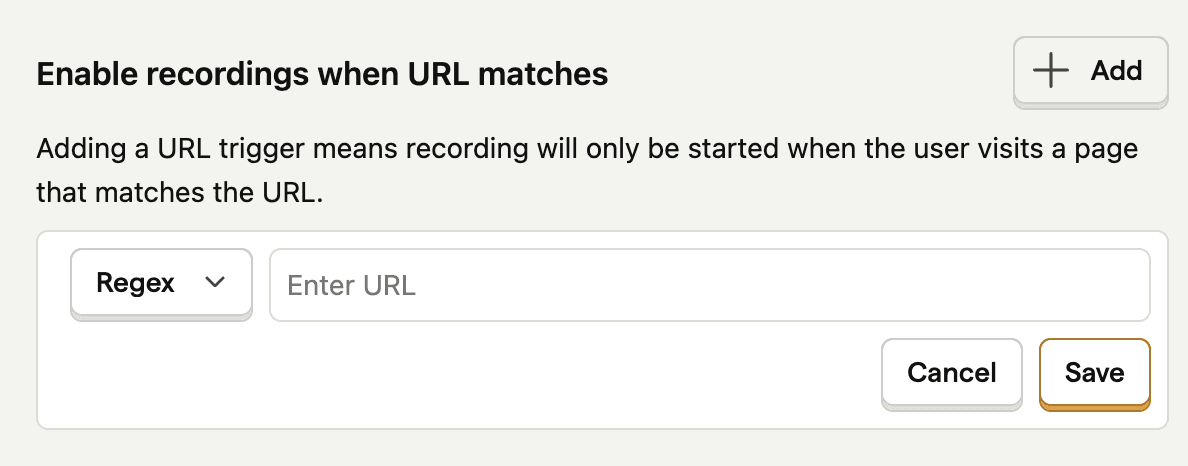
👾 With URL trigger conditions
- Start recording only when the user hits a specific URL.
- After the match, recording keeps going even if they navigate away.
🧠 Short in-memory buffer → you still see how they got there.
🤖 With Event trigger conditions
(posthog-js ≥ 1.186.0) Start recording only when a specific event fires.
After the event, recording keeps going even if they navigate away.
🧠 Short in-memory buffer → you still see how they got there.

⛳️ With feature flags
Use a feature flag to record only flagged users.
⚙️ Steps:
- Link your flag under Enable recordings using feature flag

🧪 Sampling
Record a % of all sessions → set rate in replay ingestion settings.
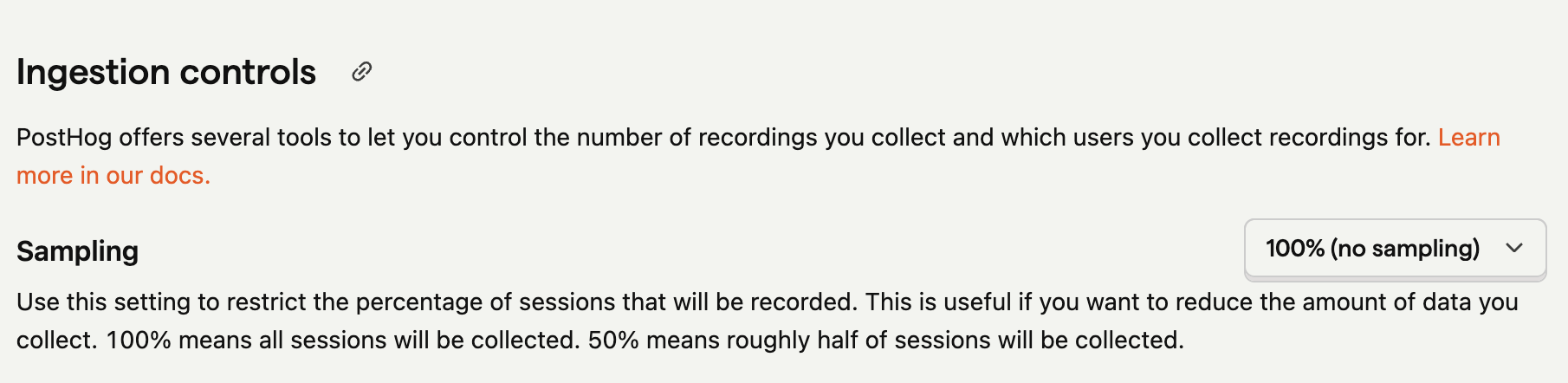
💡 Recommendation: start at 100%, dial down as needed → so you know your volume.
⚠️ Note: Sampling reduces how many, not which sessions you record.
🎛️ Combining controls
(web SDK ≥ 1.238.0) Combine multiple triggers → choose any match vs. all match.
💡 Example — Exception event trigger + checkout URL trigger + 20% sampling:
➕ With any matching
Captures 20% of every session + any session with an exception event OR on checkout.
✖️ With all matching
Captures 20% of sessions on checkout AND with an exception event.
⌛️ Minimum duration
Set a minimum session duration in replay ingestion settings.
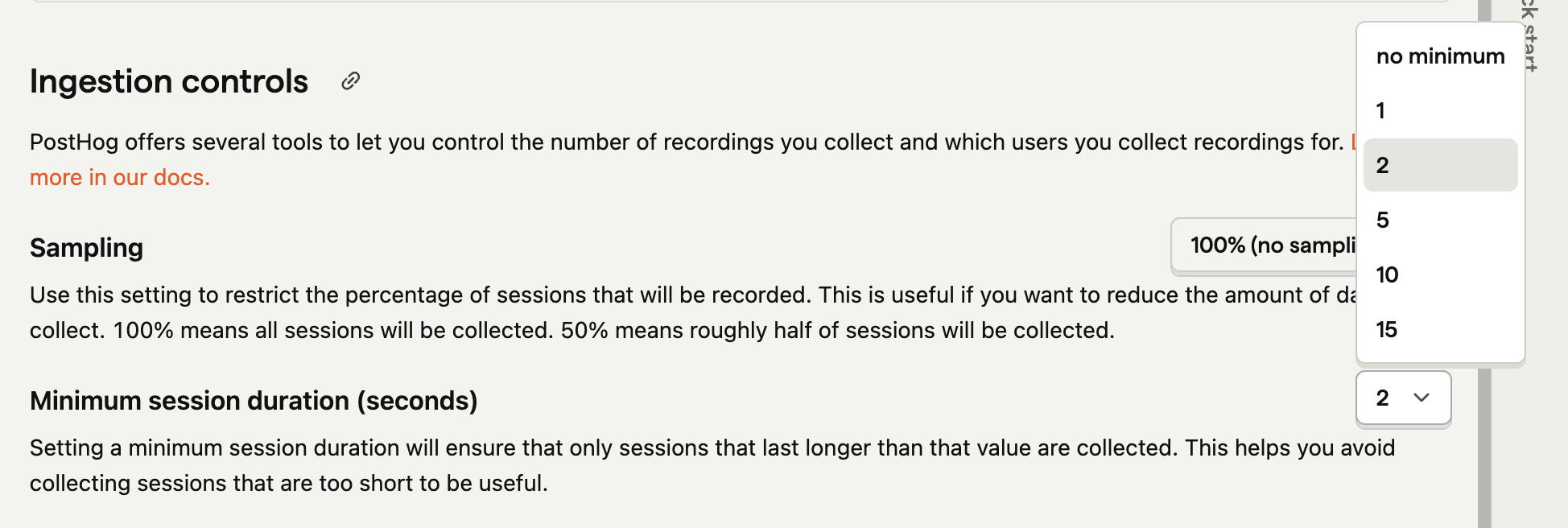
🎯 Useful for excluding too-short sessions (e.g., < 2s bounces).
⏲️ Limitations
Min duration is in seconds.
- 🟢 If duration passed → session sent
- 🟡 If not yet → buffered in-memory
⚠️ Risk: high minimum + multi-page short visits → browser may drop buffered data → session recorded but beginning missing.
Missing the start? → reduce the minimum duration.
🤑 Billing Limits
Set a billing limit → ingestion stops when reached.