🧐 Why this step?
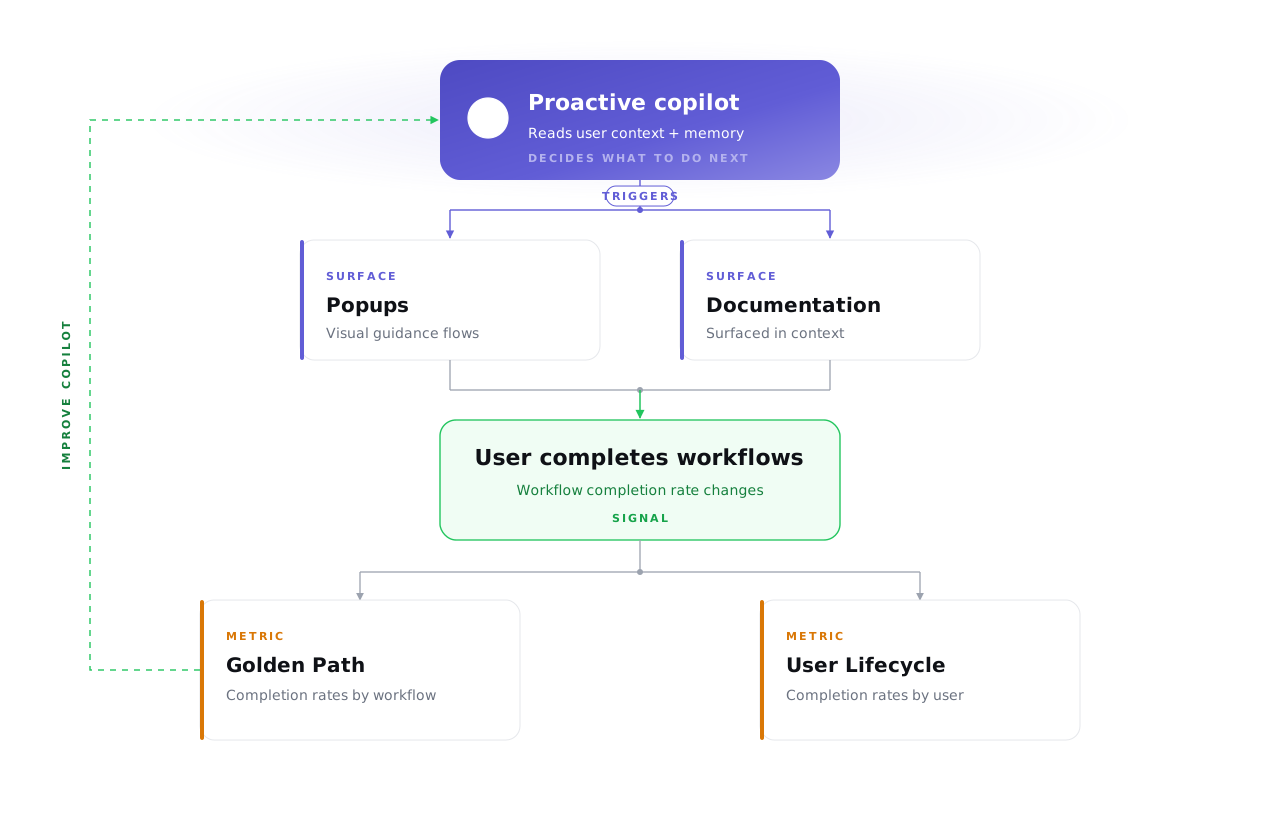
Building a copilot is half the job:
🎯 You also need to know: is it actually working?
📤 Your docs + popups are the outputs your copilot triggers.
🧪 Evaluation = making sure those outputs are accurate, timely, relevant per user.
Primary signal:
- Is the workflow completion rate increasing over time?
- Higher rates on key workflows = your copilot is working
🤔 How to evaluate
Track at 2 levels:
- By workflow → Golden Path → completion rates across users
- By user → Golden Path filtered by email, or User Lifecycle for individual view
🚧 Coming soon: side-by-side view of user actions + copilot conversations → evaluate right context, right moment.
🗂️ How to use filters
2 filters that matter most:
- Product section → scope sessions to a specific area
- Task filter + completion rate → find users who have/haven’t done specific workflows, and at what rate